





Case Study

HealthCare Mobile App

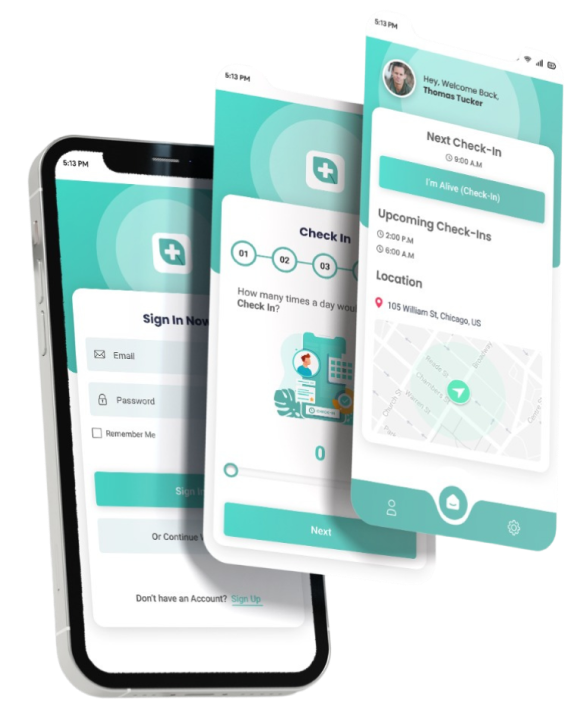
In this fast-paced world, staying connected with the ones we love can be a challenge. But with I Am Alive, distance is no longer a barrier. Our application is designed with the sole purpose of helping you stay in touch with your loved ones effortlessly. Check-in and share updates to your loved ones. 

Supported Platforms

Tools Used

About the project

Project Overview

The “I’m Alive” App was conceived as a revolutionary welfare check application designed to cater to a diverse audience, providing a seamless solution for users to connect with their loved ones effortlessly. The application was developed and deployed within an impressive one-month timeframe, showcasing proficiency in technologies such as Flutter, Laravel, MySQL, and AWS.

Goals & Objectives

  1. A user-friendly mobile application for welfare check-ins.
  2. Real-time location tracking and messaging functionalities.
  3. Diverse user scenarios, including families, college students, children, and solo travellers.
  4. Ensure privacy and discretion in sharing real-time location information.
  5. Flexibility in check-in frequency to accommodate various user needs.

Development Process

1. Conceptualization:

  • Collaborative discussions with the client to understand the core objectives and target audience of the “I’m Alive” App.
  • Defined key features, including customizable check-in frequencies, real-time location tracking, and automated alerts.

2. Technology Stack:

  • Leveraged Flutter for cross-platform mobile app development, ensuring a consistent and responsive user experience.
  • Utilized Laravel for robust backend development, implementing a secure and scalable server-side architecture.
  • Employed MySQL for efficient data storage and management.
  • Integrated AWS services for reliable and scalable cloud hosting.

3. User-Centric Design:

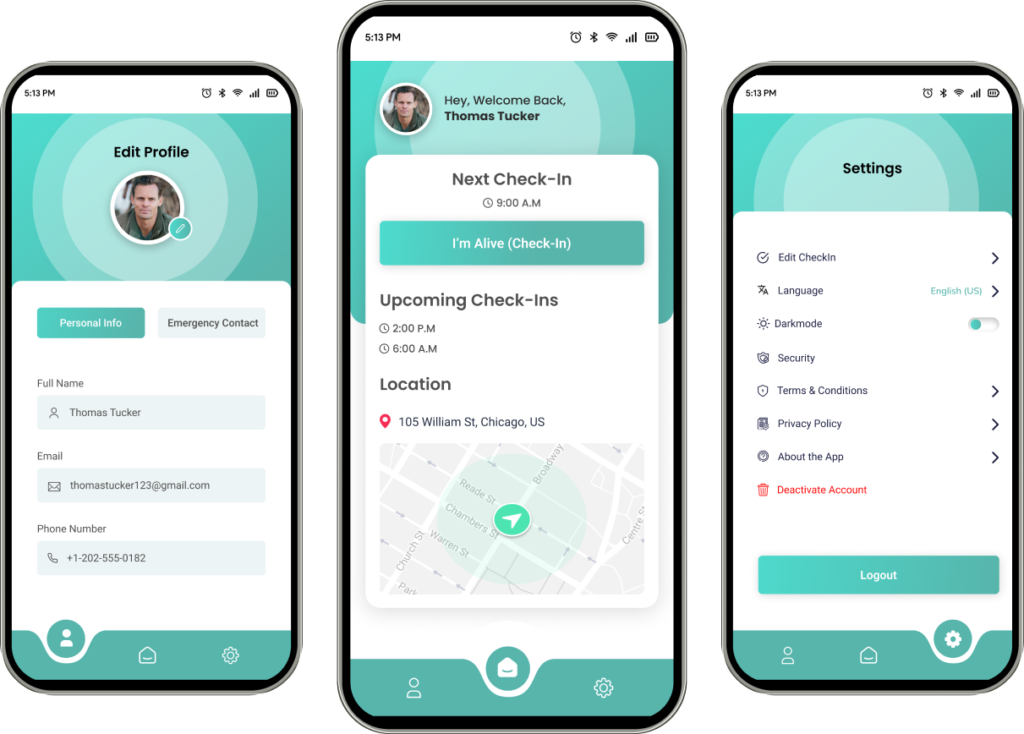
  • Created a user-friendly and intuitive interface that enables effortless navigation for users from all demographics.
  • Incorporated customizable check-in frequencies to accommodate the diverse needs of users.

4. Real-Time Location Tracking:

  • Implemented a sophisticated real-time location tracking system to provide accurate information to selected contacts.
  • Ensured privacy by only sharing real-time location when triggered by specific events, maintaining discretion for users.

5. Automated Alerts:

  • Developed a system for automated reminders to users who haven’t checked in, enhancing user engagement.
  • Implemented an exclusive “URGENT” message feature that notifies the designated emergency contact in case of persistent non-compliance.

Style Guide

A cohesive style guide ensures the website’s visual identity remains consistent, offering a polished and immersive experience for visitors, reinforcing the website’s brand presence.

Logo

Color Palette

57B5AC

56B6AD

4DD7CA

AEE1DD

505050

000000

Typography

High-Fidelity Wireframes

The high-fidelity wireframes for the app exude a refined visual language, meticulously translating the website’s brand essence into pixel-perfect design elements for a sophisticated user interface.

Onboarding Screens

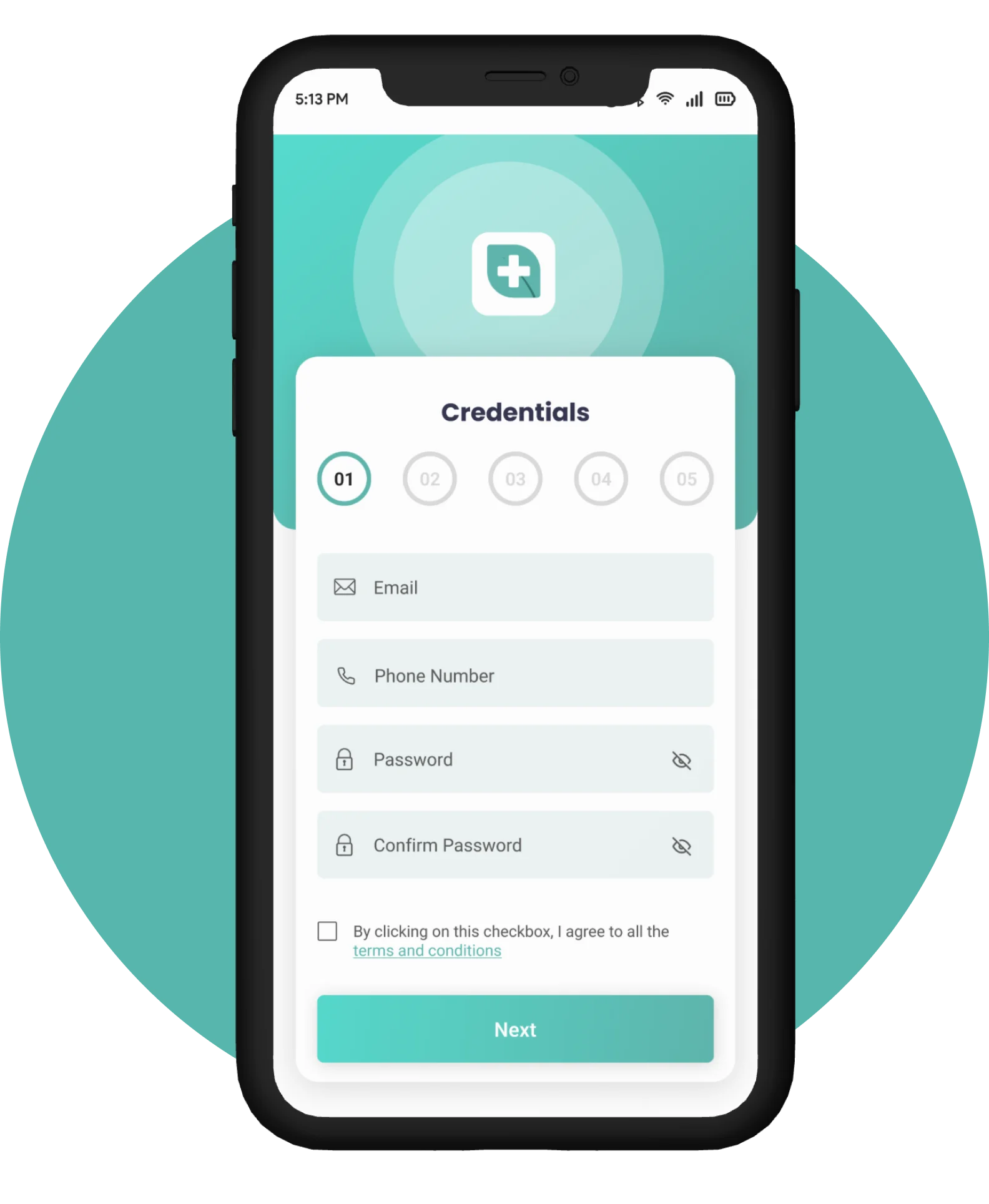
Credentials Information

Safeguard your information with a unique username and password, ensuring that your personal details remain confidential. With secure encryption, rest easy knowing that your credentials are protected against unauthorized access.
 

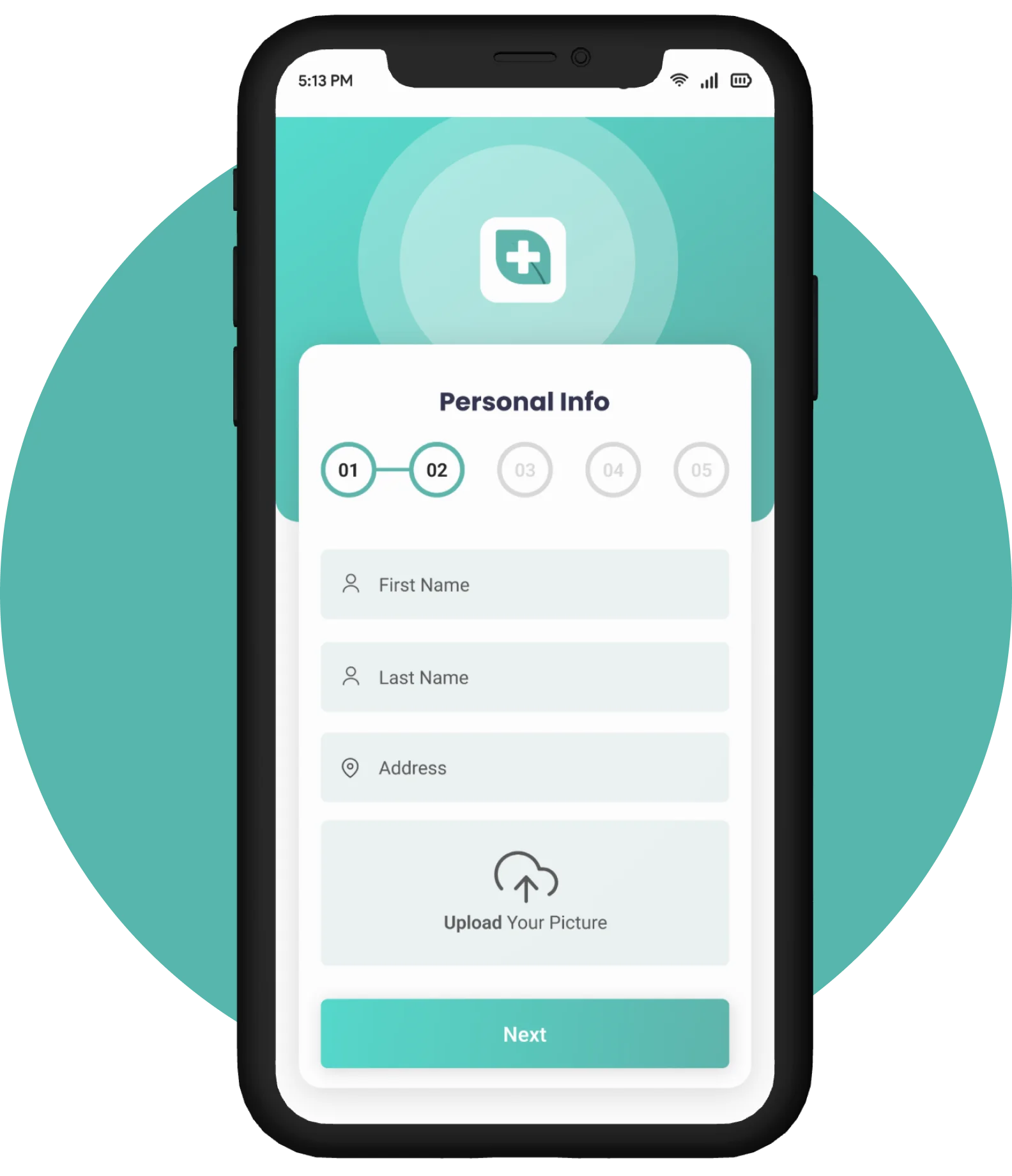
Personal Information

The second step is by accessing your profile settings, where you can seamlessly input your first and last name. Further enrich your profile by adding your address and uploading your image. 

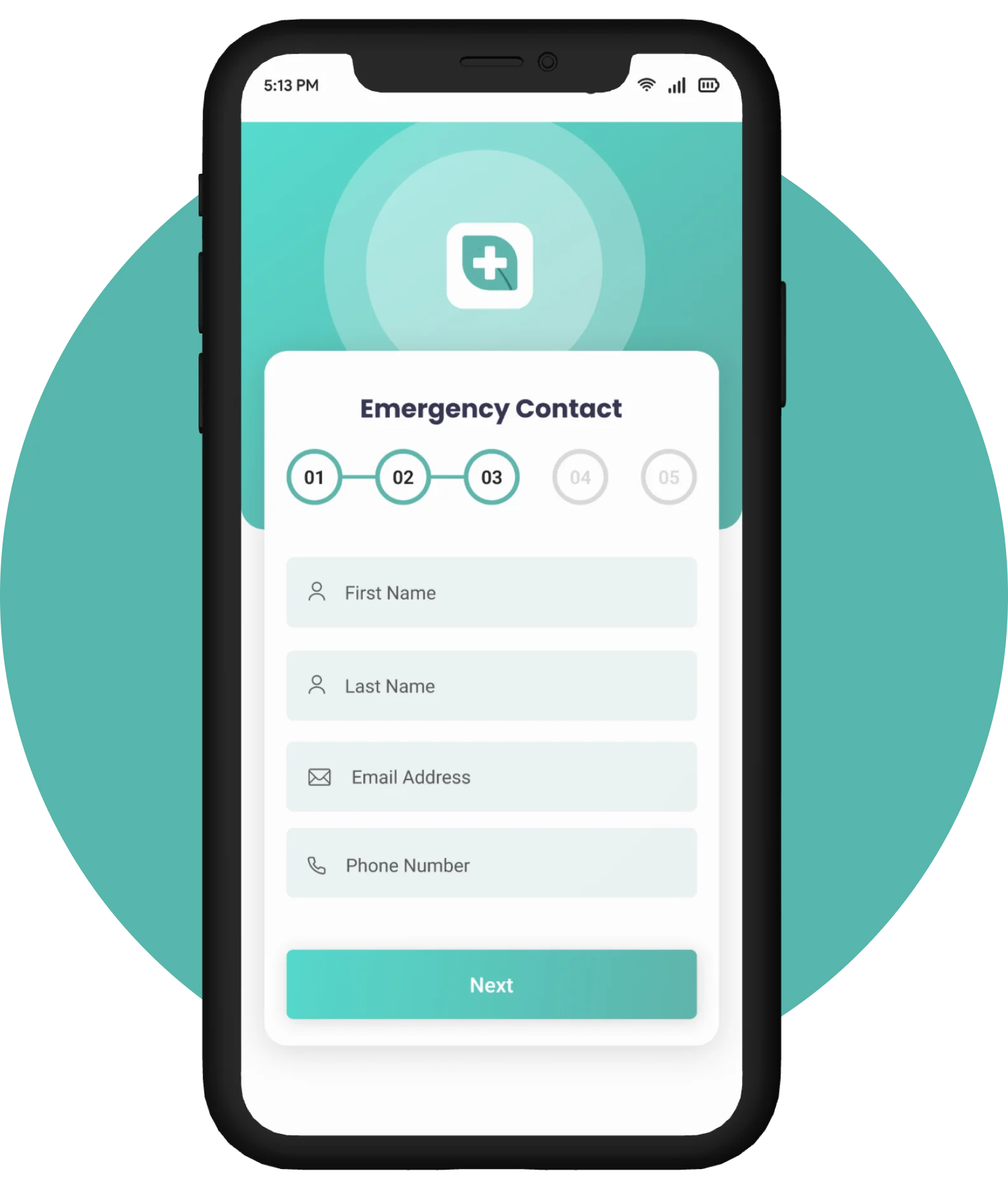
Emergency Contact

Simply navigate to the Emergency Contact section, where you can effortlessly input and customize your essential contact. In times of urgency, trigger instant SOS alerts with a simple action, ensuring that your pre-set emergency contacts receive important information promptly.

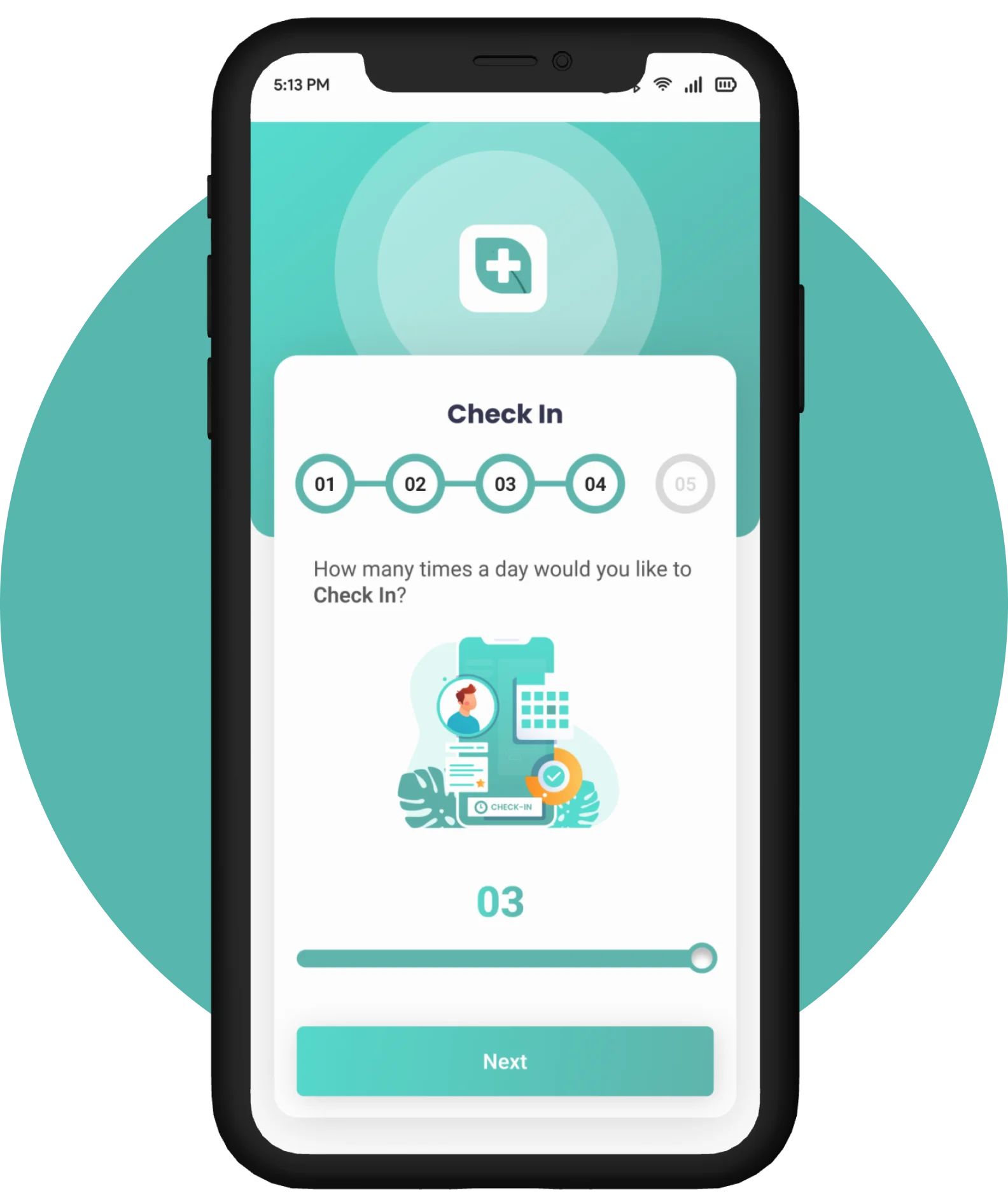
Check In

Navigate to the check-in option effortlessly and share a quick update with just a tap. Your check-in triggers real-time notifications, ensuring that your closest connections are always in the loop.  

Check in them

In just a simple step, set the preferred frequency for your check-ins – whether it's a daily routine or spontaneous update. The app seamlessly prompts you at the designated times and you can share updates consistently.

Credentials Information

Safeguard your information with a unique username and password, ensuring that your personal details remain confidential. With secure encryption, rest easy knowing that your credentials are protected against unauthorized access.  

Personal Information

The second step is by accessing your profile settings, where you can seamlessly input your first and last name. Further enrich your profile by adding your address and uploading your image. 

Emergency Contact

Simply navigate to the Emergency Contact section, where you can effortlessly input and customize your essential contact. In times of urgency, trigger instant SOS alerts with a simple action, ensuring that your pre-set emergency contacts receive important information promptly.  

Check In

Navigate to the check-in option effortlessly and share a quick update with just a tap. Your check-in triggers real-time notifications, ensuring that your closest connections are always in the loop.  

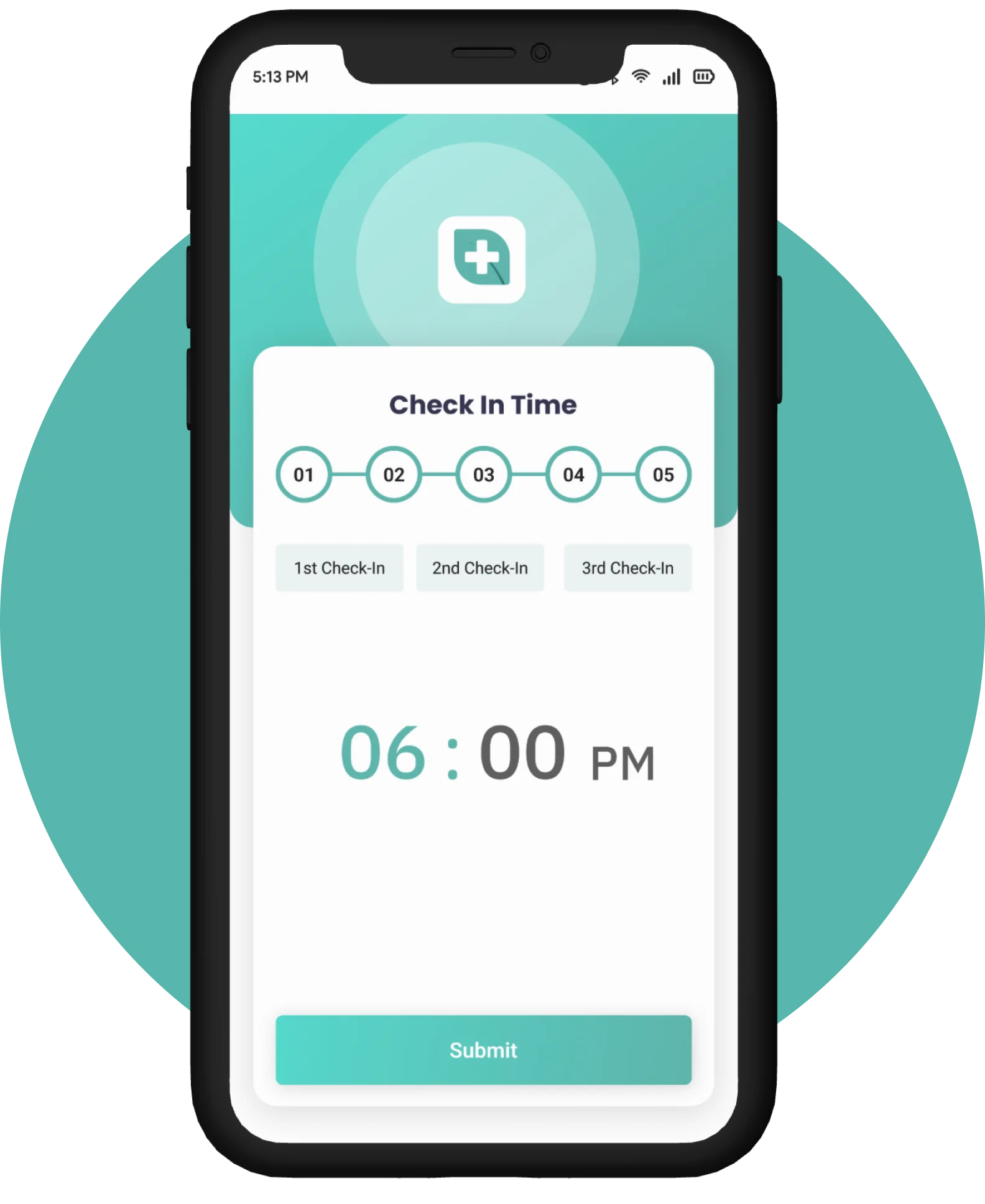
Check In Time

In just a simple step, set the preferred frequency for your check-ins – whether it’s a daily routine or spontaneous update. The app seamlessly prompts you at the designated times and you can share updates consistently.

More Screens

Client’s Testimonial

Presentation